To start a new game, select New Game from the splash screen. You'll walk through a series of steps to build your crew from scratch.
1. Name Your Team and Ship
Type a name for your team and then for your spaceship. Names must be between 3 and 12 characters. Press Enter to confirm, Backspace to go back.
2. Choose a Home Planet
Pick the planet where your crew will start. Each one hosts different populations, which determines the pool of pirates available for your initial roster:
| Earth | Moon | Mizu | Frittura |
|---|---|---|---|
 |
 |
 |
 |
| Human | Human Yardalaim Pupparoll |
Octopulp | Galdari |
See Pirates and traits for what each population is good at.
|
|
3. Design Your Jersey
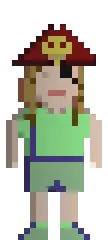
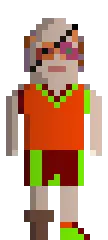
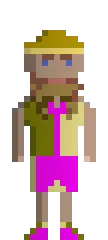
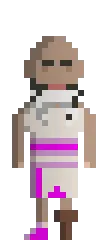
Choose from 5 jersey styles and customize your team colors:
| Classic | Stripe | Fancy | Gilet | Horizontal |
|---|---|---|---|---|
 |
 |
 |
 |
 |
Use r/g/b to cycle forward through color presets for each channel (Red, Green, Blue) and R/G/B to cycle backward. There are 35 color presets per channel, so you have plenty of combinations to work with.
A sixth style (Pirate) can be unlocked later in the game.
4. Pick a Spaceship
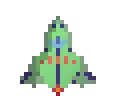
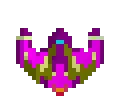
Choose one of three starting spaceships:
| Bresci (Shuttle) | Orwell (Pincher) | Ibarruri (Jester) |
|---|---|---|
 |
 |
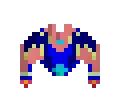 |
| Single engine | Single engine | Double engine |
| Cheapest option, minimal features | Mid-range, standard hull | Better engines, more mobility |
| 38,100 sat | 43,080 sat | 51,000 sat |
The ship comes out of the same budget you use to hire pirates, so a fancier hull means a cheaper crew.
All ships start with a full fuel tank, no storage unit, no shield, and no shooter. You'll upgrade these later - see Spaceships for details.
|
|
5. Hire Your Starting Pirates
You start the whole creation with 90,000 satoshi, and by now the spaceship has already taken its cut. Whatever is left goes on exactly 5 pirates from the population on your home planet. Pirates are sorted by hire cost (highest first).
Your remaining balance is shown on screen and updates as you select pirates. It turns red if you overspend - you can't proceed with a negative balance. Whatever satoshi you don't spend is lost, so spend all of it. After creation your balance resets to 0 regardless.
Keep in mind that a pirate's hire cost also drives their daily salary: an expensive starting five will be expensive to keep around, and you start with an empty treasury.
Don't overthink this and grab pirates that cover a spread of skills. You can always hire more later.
6. Confirm and Start
Review your choices and confirm. Your crew is created with:
- 5 pirates with roles auto-assigned (Captain, Pilot, Doctor, Engineer, and Mozzo) based on their best skill bonuses
- Your selected spaceship with a full fuel tank
- 0 satoshi (balance resets after creation)
- Home location on your chosen planet
A short tutorial popup will appear to get you oriented. From here, check First steps for what to do next.